Frequently Asked Questions
Services
Low data rate?
For diagnosing network problems, x-ion also operates a dedicated speedtest server, which is available on the Ookla provider's website:
https://www.speedtest.net/de/server/7803
To specifically check network connectivity and latency to and from xCloud infrastructure, you
can also use the IPv4 address of the test server (185.27.180.66), for example with a ping:
ping 185.27.180.66
PING 185.27.180.66 (185.27.180.66) 56(84) bytes of data.
64 bytes from 185.27.180.66: icmp_seq=1 ttl=64 time=9.13 ms
64 bytes from 185.27.180.66: icmp_seq=2 ttl=64 time=2.94 ms
How do I stop paying for a product?
You only pay for the resources you use. Delete those you no longer need, e.g. buckets (Storage), VMs (Compute), or clusters (Kube). ComputePro regions and apps are cancelled individually on their cards.
xCloud Backup is the exception: you order it with a package and cancel it, see Cancellation.
Why is my bucket name not accepted?
Bucket names must be 3 to 63 characters long and may only contain lowercase letters (a-z), digits (0-9), period (.) and hyphen (-). They must begin and end with a letter or a digit; period and hyphen must not be consecutive. You can find the details in the Storage documentation.
Billing
What happens if no payment method is on file?
Without a valid payment method, access to your products is restricted to reading and deleting. The web app shows a notice with a deadline by which you must add a payment method in the settings in order to keep using the products and to prevent the deletion of your account and your data. The Account Settings page describes how to add a payment method.
Where do I find my invoices?
You can find all invoices in the web app under Settings → Invoices. There you can save each invoice as a file via the Download action.
How large is a TB?
xCloud converts data amounts with the factor 1024, e.g. for the included storage of xCloud Backup: each unit is 1024 times the next smaller one.
| Unit | Equals | In KB |
|---|---|---|
| 1 KB | 1,024 bytes | 1 |
| 1 MB | 1,024 KB | 1,024 |
| 1 GB | 1,024 MB | 1,048,576 |
| 1 TB | 1,024 GB | 1,073,741,824 |
Platform
I'm having trouble logging in. What can I do?
The most common cause of login problems is a restrictive browser extension that blocks the necessary redirect between the login service (login.xcloud.eu) and the web application (app.xcloud.eu). The result is an endless loading screen:
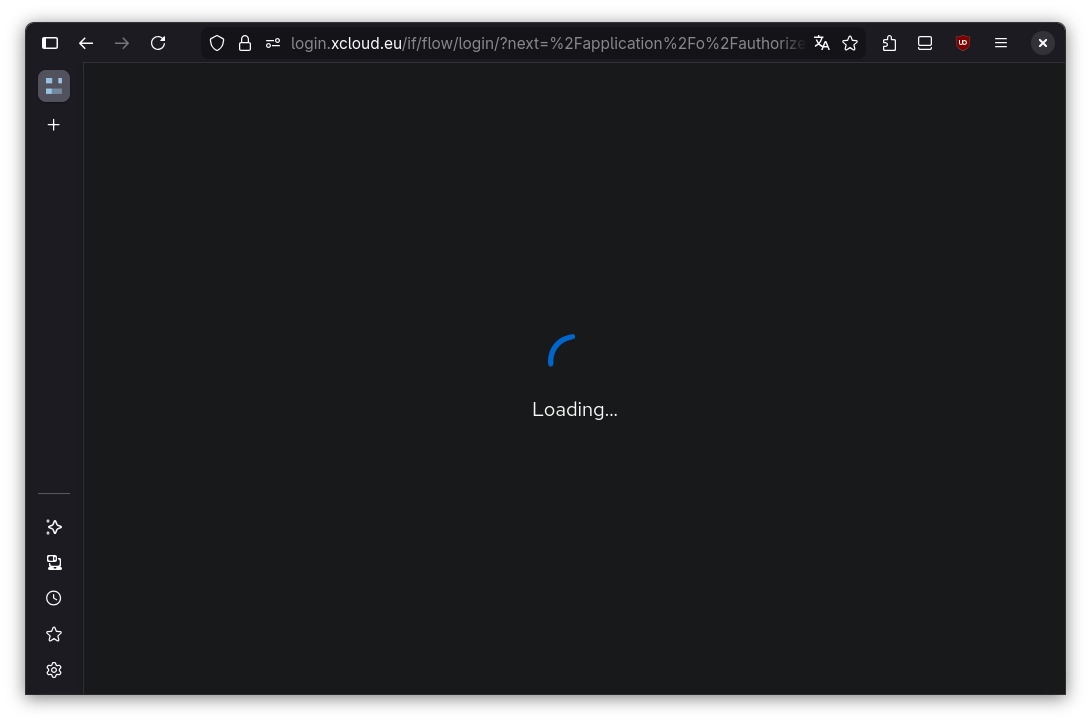
The cause is that the extension blocks the redirect from one subdomain to another. To check if the problem stems from this, you can first temporarily disable the extension completely. If this measure fixes the problem, you can configure a permanent solution with the following steps:
1. Open the add-on settings
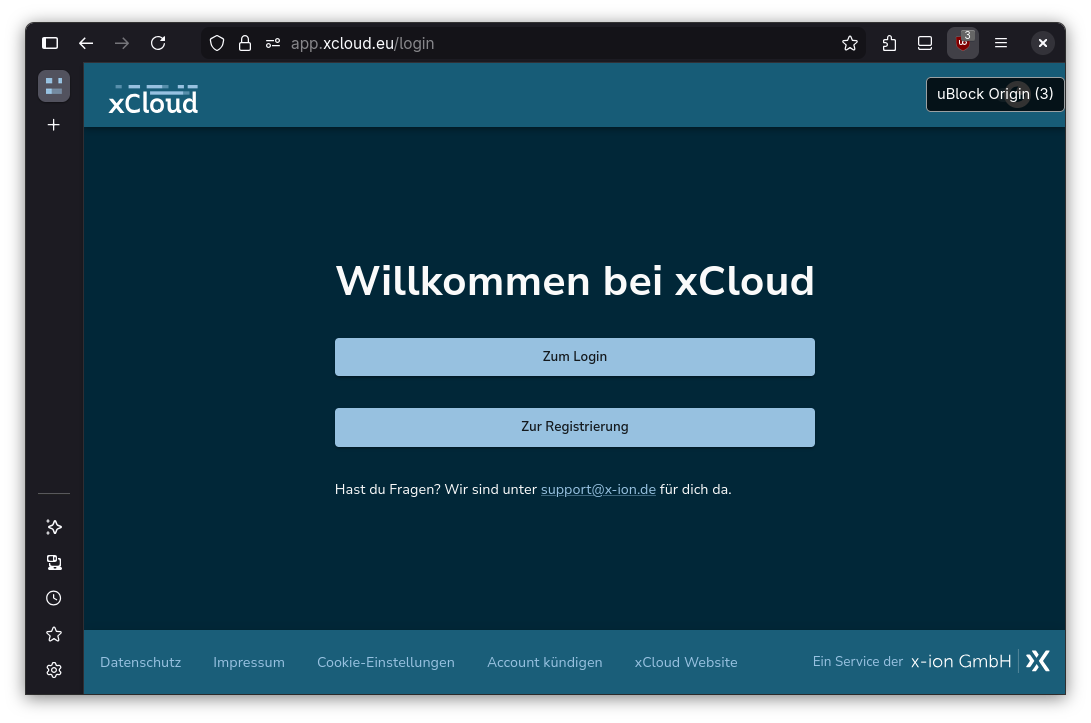
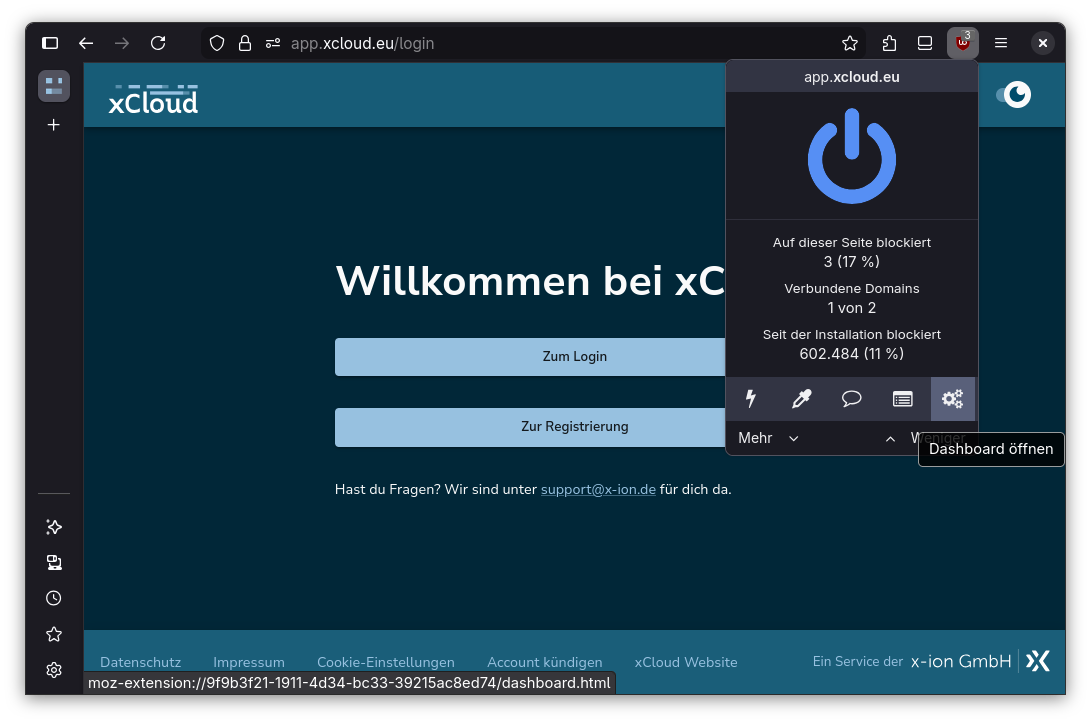
2. In the settings dialog, select the "Trusted sites" tab
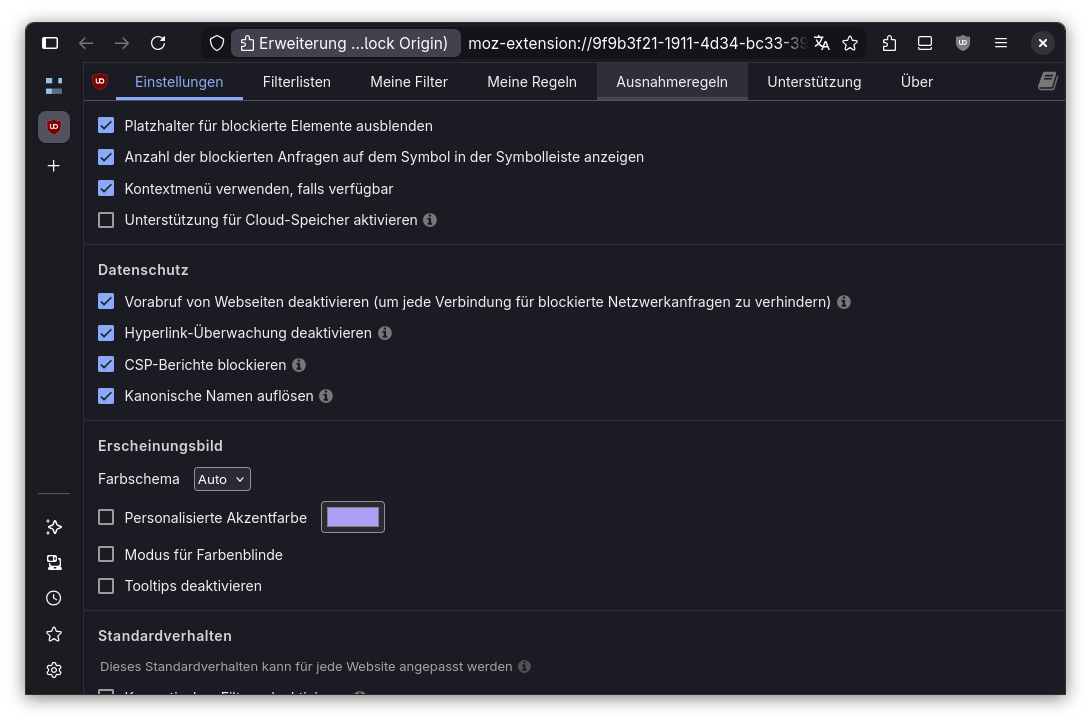
3. In the list of trusted sites, add a line with the content login.xcloud.eu. Confirm by
clicking "Apply changes".
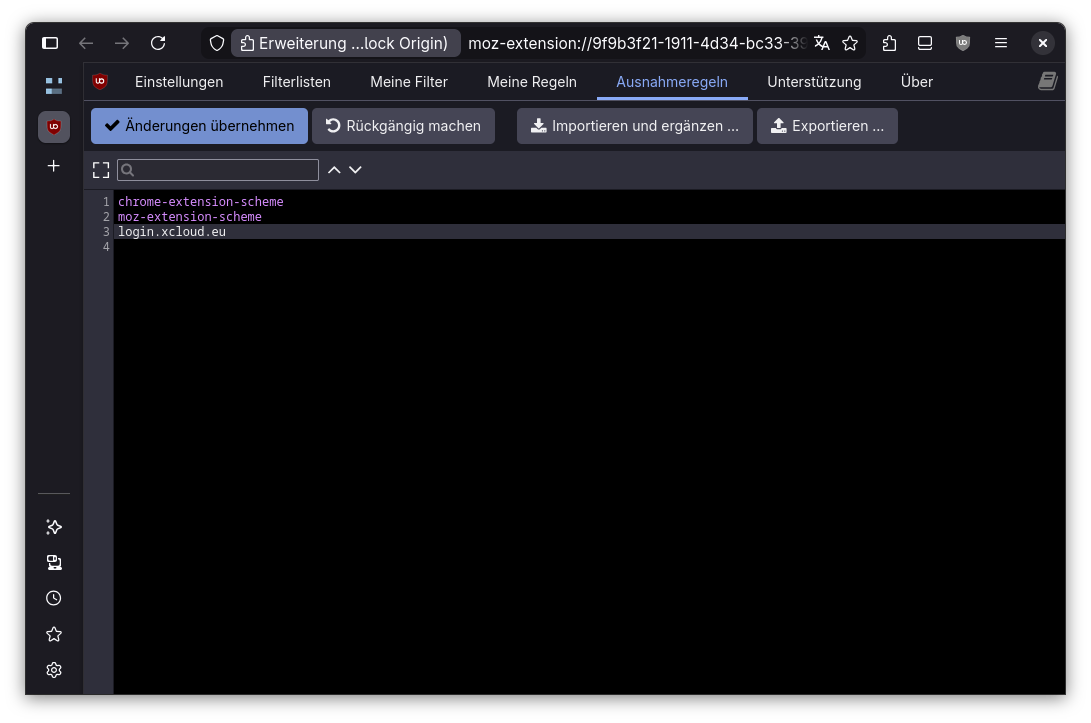
4. From now on, the login should work again.